
SFM Compile is a crucial process in Source Filmmaker (SFM) that transforms raw assets into usable formats inside the software.
Whether you are working with models, textures, animations, or maps, compiling is what allows these elements to function properly in your projects.
Without compiling, many custom assets simply won’t appear or behave correctly, making it an essential step for creators of all levels.
For beginners, the concept may seem technical and confusing at first.
However, once you understand the workflow and tools involved, SFM compile becomes a powerful skill that opens the door to high-quality cinematic creations.
What Does “Compile” Mean in SFM?
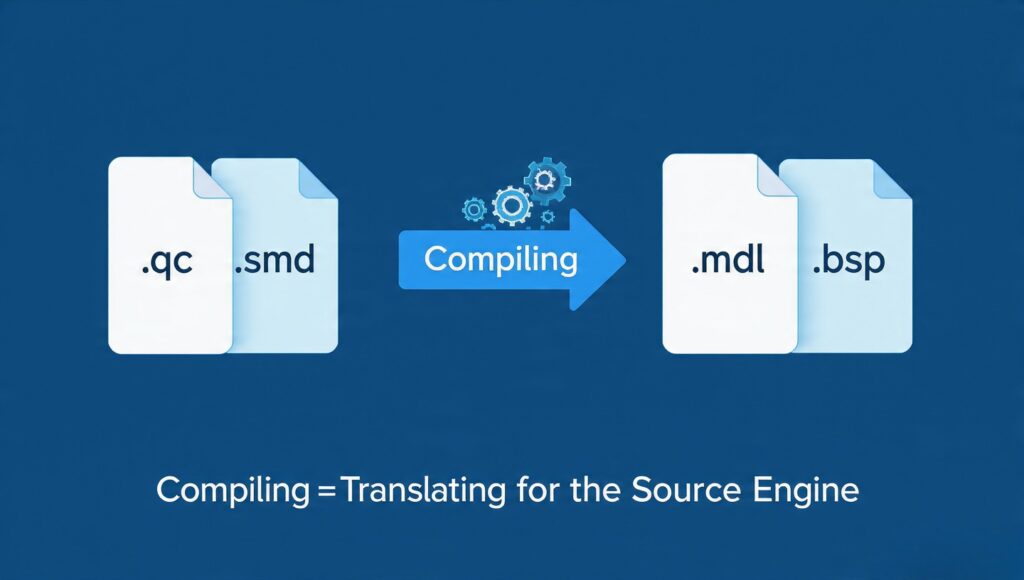
In simple terms, compiling in SFM means converting files from one format into another that the Source engine can read.
Raw files like .qc, .smd, or .dmx are processed into formats such as .mdl (models) or .bsp (maps).
This process ensures that assets are optimized, structured, and compatible with the engine’s requirements.
Think of compiling as translating a language.
Your original files are written in a format meant for editing, while compiled files are translated into a format the engine understands and can render efficiently.
Why SFM Compile Is Important
Compiling is not just a technical step—it directly affects the quality and performance of your project.
Properly compiled assets load faster, behave correctly, and reduce the chances of crashes or visual glitches.
If you skip or incorrectly perform compilation, you may encounter missing textures, broken animations, or invisible models.
For advanced users, mastering SFM compile also allows for deeper customization.
You can tweak physics, lighting, and animations at a detailed level, giving you full creative control over your scenes.
Types of Files Involved in SFM Compile
Understanding the file types used in compiling is key to mastering the process.
Each file serves a specific role and contributes to the final compiled asset.
Model Files
Model compilation typically involves .qc (script file), .smd or .dmx (mesh and animation data), and textures.
The output is a .mdl file, which SFM uses to render characters and objects.
Texture Files
Textures are often created in formats like .tga or .png and then compiled into .vtf files.
These are paired with .vmt material files that define how the textures behave in lighting and shading.
Map Files
Maps are compiled from .vmf files using tools like Hammer Editor.
The final compiled output is a .bsp file, which represents the playable or usable environment in SFM.
Tools Required for SFM Compile
To successfully compile assets, you need a set of tools that work alongside SFM.
These tools are often included with the Source SDK or available separately.
The most commonly used tools include studiomdl, which compiles models, and vtex, which processes textures.
For maps, tools like vbsp, vvis, and vrad handle geometry, visibility, and lighting calculations.
Using these tools correctly ensures that your assets are properly optimized and ready for use.
Step-by-Step SFM Compile Process
The compilation process may vary depending on what you are working on, but the general workflow remains consistent.
First, you prepare your raw files, ensuring they are correctly structured and referenced.
This includes checking file paths, naming conventions, and dependencies.
Next, you run the appropriate compile tool.
For models, this involves executing the .qc file through studiomdl, which generates the .mdl output.
After compiling, you test the asset in SFM.
This step is crucial because it helps identify errors such as missing textures or incorrect animations.
Finally, you refine and recompile as needed.
Compilation is often an iterative process, especially for complex projects.
Common Errors and How to Fix Them
Even experienced users encounter errors during SFM compile.
Understanding common issues can save you a lot of time and frustration.
One frequent problem is missing textures, which usually occurs بسبب incorrect file paths or uncompiled materials.
Another issue is model errors, often caused by mistakes in the .qc file or missing references.
Lighting problems in maps can also occur if the compile process is incomplete or improperly configured.
Carefully reading compile logs is one of the best ways to diagnose and fix these issues.
Beginner Tips for SFM Compile
If you are new to SFM compile, start with simple projects.
Work with basic models or textures to understand the workflow before moving on to complex assets.
Always keep your files organized in clearly labeled folders.
This makes it easier to manage dependencies and avoid path-related errors.
Additionally, use community tutorials and sample files as references.
Learning from existing projects can significantly speed up your progress.
Advanced Techniques for Better Results
Once you are comfortable with the basics, you can explore advanced compilation techniques.
These include optimizing models for performance, customizing shaders, and tweaking physics properties.
Advanced users often modify .qc scripts to control animations, hitboxes, and other behaviors.
You can also experiment with lighting settings in map compilation to achieve cinematic effects.
Mastering these techniques allows you to create professional-level content within SFM.
Performance Optimization in SFM Compile
Efficient compilation is not just about functionality—it also impacts performance.
Large or poorly optimized assets can slow down rendering and editing داخل SFM.
Reducing polygon counts, compressing textures, and optimizing lighting can significantly improve performance.
Balancing quality and efficiency is key, especially for complex scenes.
A well-optimized project runs smoothly and delivers better results.
Final Thoughts
SFM Compile is a foundational skill for anyone serious about using Source Filmmaker.
It bridges the gap between raw creative assets and fully functional scenes داخل the engine.
While it may seem complex at first, consistent practice and understanding of the workflow make it manageable.
From beginners learning the basics to advanced users pushing creative boundaries, mastering SFM compile unlocks endless possibilities.
With the right tools, knowledge, and patience, you can transform your ideas into polished cinematic experiences.