
The world of online micro-tasking has grown rapidly in recent years, offering flexible ways to earn money from home or anywhere with an internet connection.
Among the most trusted platforms in this space is Remotasks, a service that connects freelancers with digital tasks ranging from image annotation to transcription and AI training.
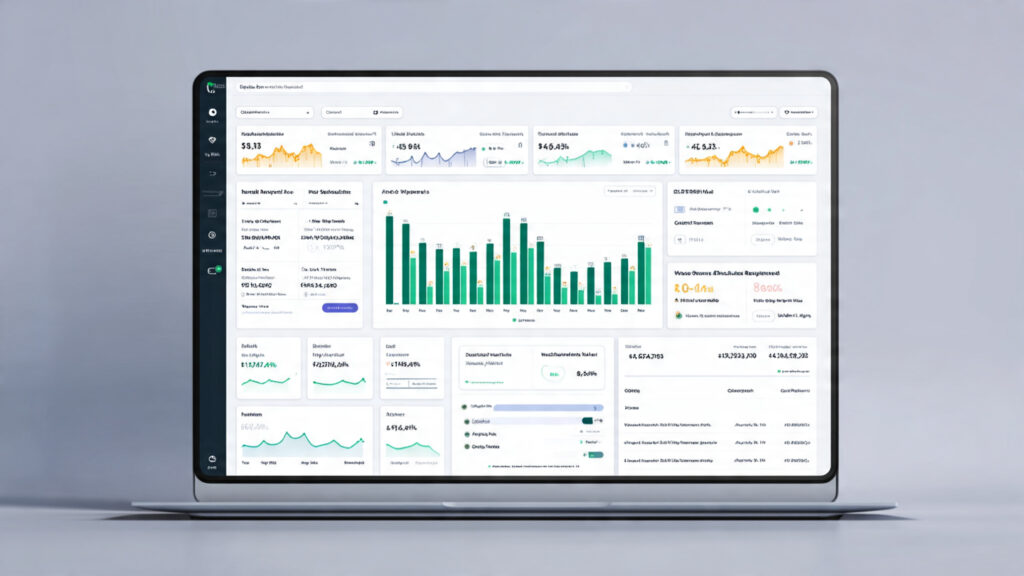
At the heart of this platform lies the Remotasks dashboard, the central hub where users can access tasks, track performance, complete training, and monitor earnings. Understanding this dashboard is essential for maximizing both productivity and income.
What Is the Remotasks Dashboard?
The Remotasks dashboard is your command center on the platform.
It provides an intuitive interface where all tasks, training modules, earnings, and performance metrics are centralized.
Unlike other platforms where you navigate multiple pages, Remotasks consolidates everything into one convenient workspace.
This makes it easy to focus on completing tasks efficiently while staying informed about your account status and potential earnings.
How to Log in to the Remotasks Dashboard
Logging into the dashboard requires a registered account.
Start by visiting the official Remotasks login page.
You can log in using a valid email and password or through social login options like Google or Facebook for quicker access.
After verifying your account, you are redirected to the dashboard where a full overview of your tasks and performance is immediately visible.
Regular logins are recommended because task availability can fluctuate throughout the day.
Navigating the Task Feed
The task feed is the core of the dashboard, listing all tasks you are qualified to complete.
Tasks range in complexity from simple image labeling and data categorization to advanced projects like LIDAR annotation or audio transcription.
Each task comes with detailed instructions and, in some cases, practice rounds to ensure accuracy.
The dashboard organizes tasks by category and shows estimated pay, helping users decide which tasks to prioritize based on skill level and potential earnings.
Training and Qualification Modules
Before accessing certain high-paying tasks, users must complete training modules.
These modules typically include video tutorials, sample tasks, and quizzes to test comprehension.
Successfully completing training unlocks more advanced tasks and improves eligibility for assignments that pay higher rates.
Regular training completion ensures access to a wider range of projects, which directly impacts earning potential.
Learn more about Remotasks training here.
Tracking Earnings and Payment History
The dashboard provides a clear overview of your earnings and payment history.
Users can track completed tasks, pending payments, and past withdrawals, making financial management transparent and simple.
Payments are typically processed weekly through PayPal, allowing freelancers to access their income quickly.
High-performing users who consistently complete tasks accurately can significantly increase their earnings, especially when taking on specialized tasks.
Official payment guide: Remotasks Payment
Monitoring Performance and Quality Metrics
Remotasks emphasizes task accuracy, and the dashboard reflects this with performance metrics.
You can view feedback, error rates, and overall performance scores.
Maintaining high accuracy ensures continued access to tasks, priority assignments, and higher-paying projects.
Consistently meeting quality standards positions taskers for more advanced and better-compensated opportunities.
Tips to Maximize Productivity and Earnings
To earn efficiently on Remotasks, focus on completing all training modules and maintaining high accuracy.
Work during peak task availability times, as the dashboard updates with new assignments throughout the day.
Monitoring your performance metrics can help identify areas for improvement, leading to access to higher-paying projects and long-term income growth.
For help and support, visit the Remotasks Help Center.
Benefits and Limitations of the Dashboard
The dashboard offers many advantages, including centralized task management, training guidance, and transparent earnings tracking.
However, task availability can vary, and earnings may be low unless you take on specialized tasks.
Despite these challenges, the dashboard remains a reliable tool for anyone seeking flexible, task-based online income.
Conclusion
The Remotasks dashboard is a central hub for all platform activity, providing taskers with the tools needed to track performance, complete assignments, and manage earnings.
By mastering the dashboard, logging in effectively, completing tasks with accuracy, and leveraging training modules, users can maximize their earning potential and gain valuable online work experience.
For anyone exploring remote work, understanding the Remotasks dashboard is a critical first step toward productive and profitable engagement on the platform.
Official Resources: